What’s changing
We’re simplifying Parcel Locker and Parcel Collect delivery addresses formats.
Instead of including your 10-digit Australia Post Customer Number (APCN) and the full street address, they’ll have their own short identifying number, with no street number or name.
Here’s an example:
| Delivery address format | Parcel Locker | Parcel Collect |
|---|---|---|
| Old format | Parcel Locker 12345 67890 42 Wallaby Way Sydney NSW 2000 | Parcel Collect 09876 54321 12 Main Street Darwin NT 0820 |
| New format | Parcel Locker 10 Sydney NSW 2000 | Parcel Collect 94 Darwin NT 0820 |
This change only affects how you write an address to have something delivered. The physical Parcel Locker and Parcel Collect locations won’t change.
Keep an eye on your Parcel Locker or Parcel Collect addresses as they start to change. Once the new addresses appear, start using them.
To find your Parcel Locker and Parcel Collect addresses:
- Log into your MyPost account.
- On web, go to collection points. Or if you’re using the AusPost app, go to the account screen.
What this means for your deliveries
Most addresses should be updated from 1 September 2026. But some may still show the old address. Whatever the case, just use the address as it appears in your MyPost account at the time you need it.
If you accidentally use the old address after it has already changed to the new address, your parcel will be delivered as normal.
If you have any parcels in transit during the address change, they’ll be delivered as normal.
If the old address still appears in MyPost, keep using it.
How to use the new delivery address when it appears
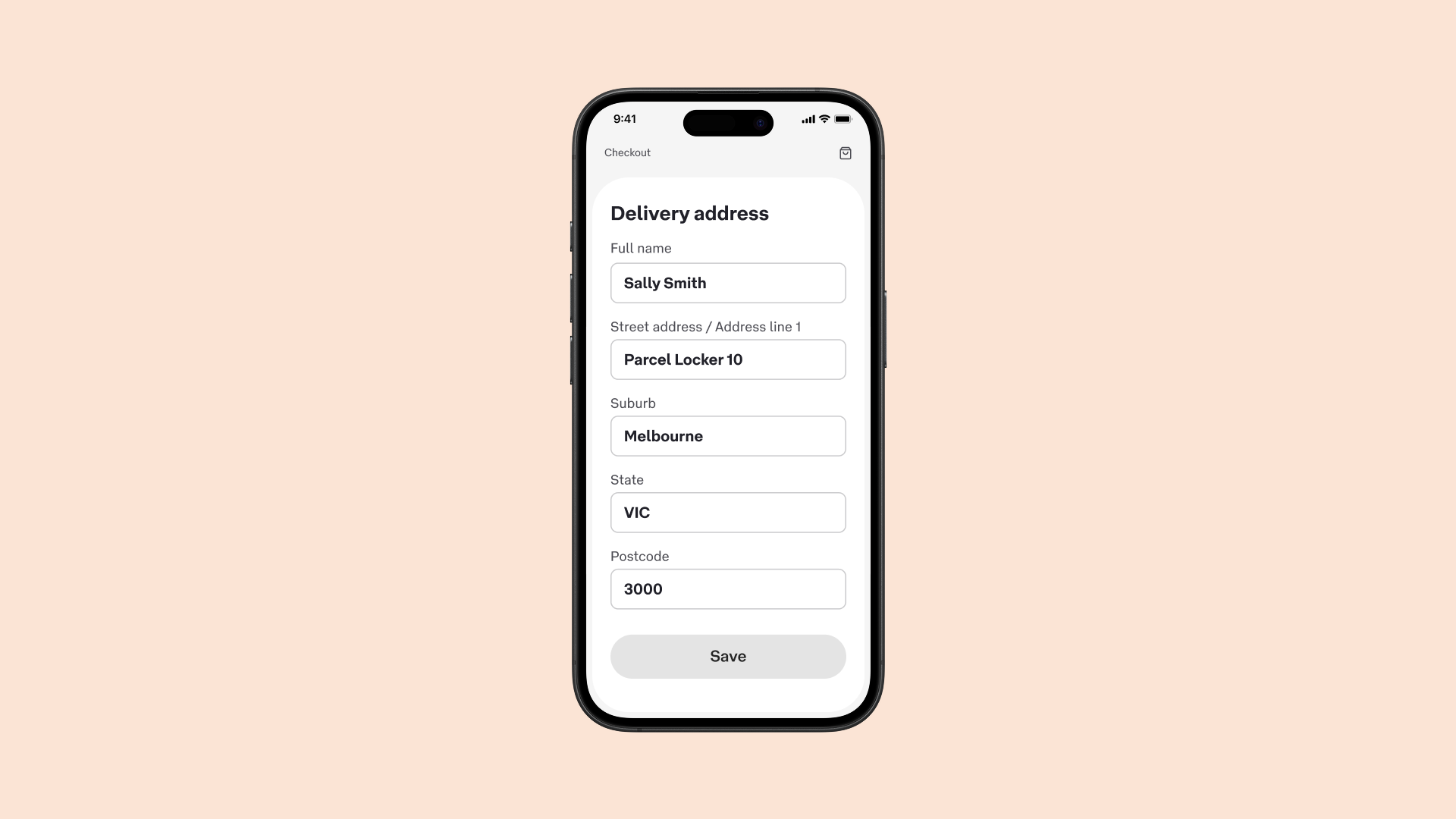
Addressing to a Parcel Locker
- Enter your full name
This should match how it appears in your MyPost account. Include your first name and surname (plus a middle name if relevant). - Enter the phrase ‘Parcel Locker’ and the 2-digit ID
This goes in the ‘street address’ or ‘address line 1’ field. For example, ‘Parcel Locker 10’. - Enter the suburb, state and postcode
This is just as normal.
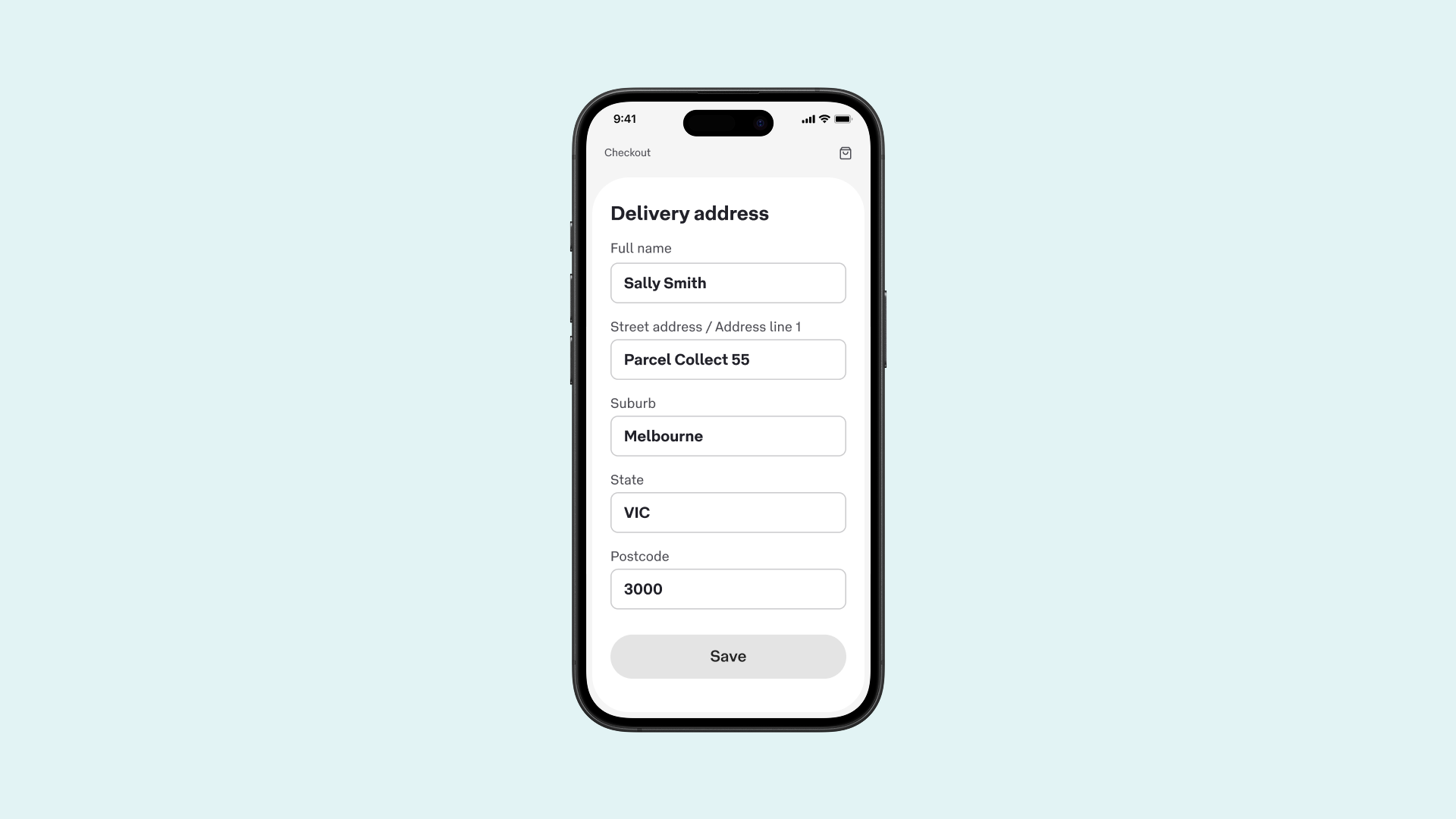
Addressing to Parcel Collect
- Enter your full name
This should match how it appears in your MyPost account. Include your first name and surname (plus a middle name if relevant). - Enter the phrase ‘Parcel Collect’ and the 2-digit ID
This goes in the ‘street address’ or ‘address line 1’ field. For example, ‘Parcel Collect 10’. - Enter the suburb, state and postcode
This is just as normal.
Update your records when the new delivery address appears
It’s best to keep all your Parcel Locker and Parcel Collect addresses in MyPost where they can stay up to date.
But if you do have a Parcel Locker or Parcel Collect address saved anywhere else, be sure to update it when you see the address change.
For example, in:
- a subscription
- an address book
- saved online checkout details
- accounts
- autofill
- your personal records.
Collecting your parcel is the same as normal
If you need directions to find the Parcel Locker or Parcel Collect location, you’ll use the street address which has the typical street number, name, suburb, state and postcode.
How we match parcels to the right receiver
We identify the receiver by their email address and/or mobile number provided by the sender. These contact details allow us to give tracking and collection information to the right person.
It's important that you provide the correct email address and/or mobile number at the online checkout or when writing a postage label. If you have a MyPost account, be sure to use the same details that appear in your account.